
How to use VPN with IPTV for Fire TV Stick
VPN dey hide your connection: your internet provider no go see wetin you dey watch, and for public or shared Wi-Fi your traffic go remain private. DajeTV get WireGuard and OpenVPN inside, so you no need another VPN app for your Fire TV.
Wetin you need
VPN service wey you choose wey get WireGuard or OpenVPN setup. Your provider go give you file (.conf for WireGuard, .ovpn for OpenVPN) or di details to type: server, keys or username and password.
DajeTV no dey sell VPN service and e no join body with any VPN provider.
Add VPN profile
- For home screen open VPN and choose Add VPN profile.
- For VPN type choose WireGuard or OpenVPN.
- For How you wan add am choose: paste wetin dey inside di file, Download from URL (if di file dey online) or Type am by hand.
- Give di profile name, like di city of di server, and choose Save and connect.
- Di first time, Android go ask permission to create VPN connection: choose OK. E go ask only once.
Tip: If you don get Surfshark subscription, choose Surfshark for VPN type: type di service credentials from manual setup (no be your email and password), pick server and DajeTV go create di profile for you.
Options wey good to on
- Connect when app open: di VPN go on by itself every time you open DajeTV.
- Connect before e play: before channel or movie open, di VPN go on if e never on.
- Block everything without VPN: playlists, TV guide and video go load only when VPN connect. If VPN cut, di video go stop instead to continue outside di tunnel.
Check say e dey work
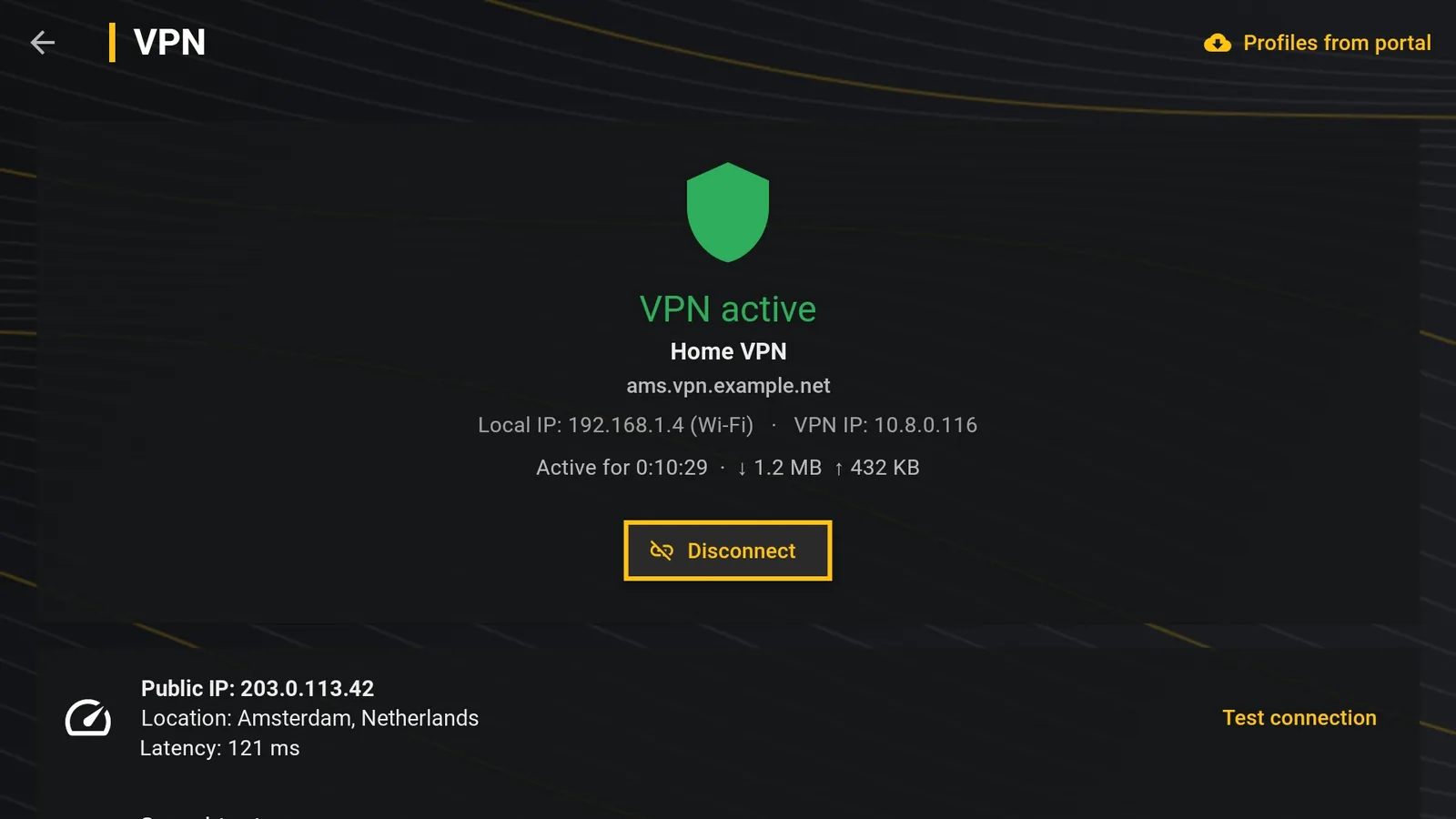
Test connection go show di address and di city wey you dey take enter internet. Speedtest go measure your line, di VPN and di playlist server one after another; Ping go show di response time live.
While you dey watch, di info panel go show if VPN dey on and how fast di video dey come.
If video dey hang with VPN
- Choose server wey near you: di far wey e far, na di slow wey e go slow.
- Prefer WireGuard: for Fire TV e normally light pass OpenVPN.
- Run Speedtest: if VPN slow well well pass your line, try another server from your VPN provider.