
How to record TV programme for Fire TV with IPTV
With DajeTV you fit record programme straight from di TV guide, or set reminder wey go change to di channel when e start. Di recordings go dey Downloads, for your device.
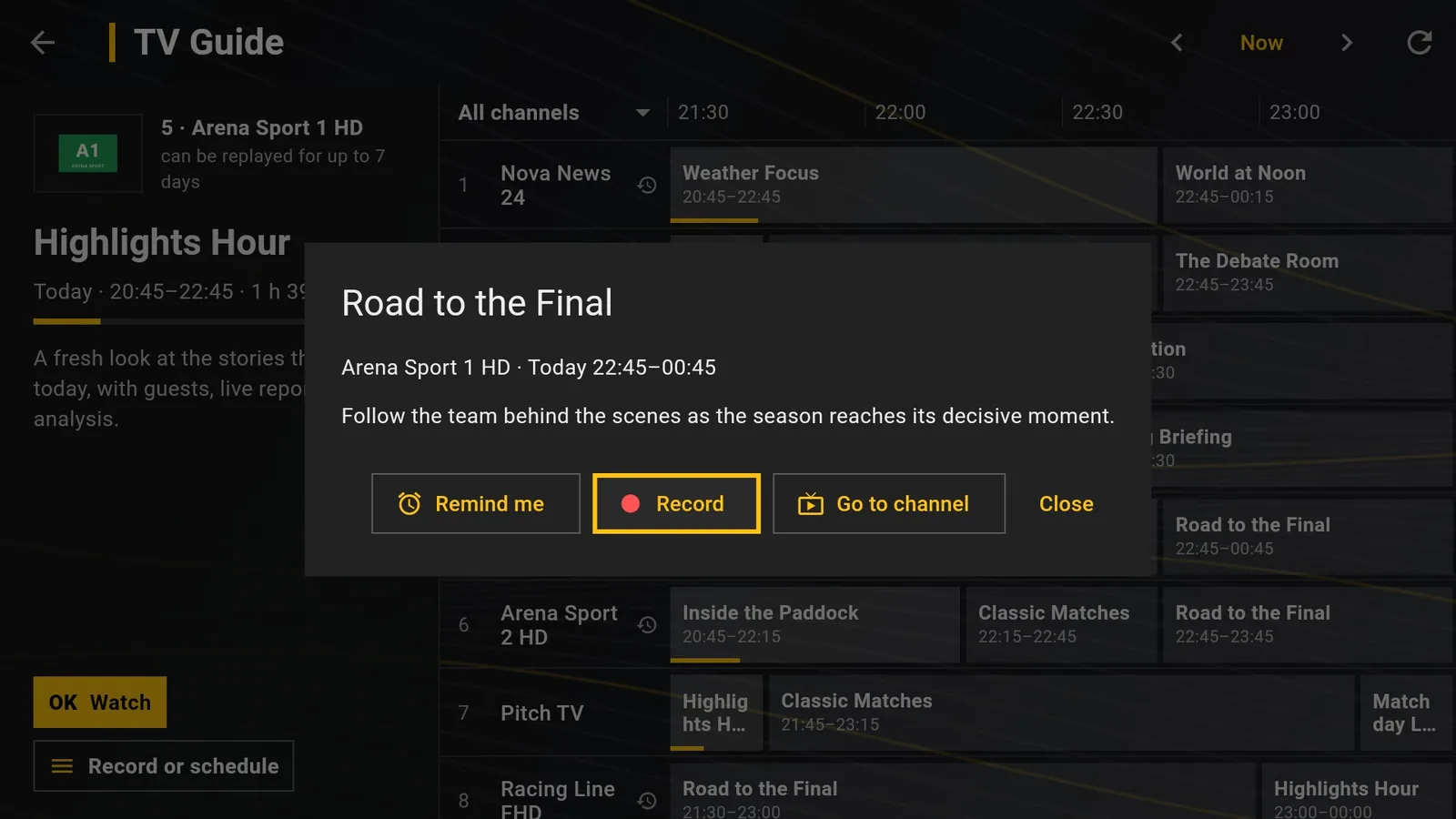
Record from di TV guide
- Open TV guide and go di programme.
- For programme wey never start, press OK to open di card; for any programme you fit also press ☰ for remote (Record or schedule).
- Choose Record am. Red dot go show for di programme for di guide.
- To watch am later, open Downloads.
Two kinds of recording
For channels wey get catch-up (archive), wey get di replay sign for di guide, DajeTV go download di programme from archive when e finish. E go work even if di app no dey on that time, as long as di programme still dey archive.
For channels wey no get catch-up, DajeTV go record live, from one minute before reach three minutes after di programme. That time di app must dey run: for background e dey ok, but if Fire TV dey standby or di app close, di recording no go start.
Tip: Almost all providers dey allow only one connection at a time: during live recording, if you open another video e go ask whether make e stop di recording.
Reminders
Choose Remind me instead of Record am: thirty seconds before e start, DajeTV go show countdown then change to di channel. Press Go now to change sharp sharp or Cancel to stay where you dey.
Manage wetin you don set
For top of Downloads you go see Wetin don set, with reminders and recordings wey dey come. From there you fit cancel dem. Recording wey dey run, you fit stop am anytime: wetin don record go stay for Downloads.
Before you record
Make sure say you get right to record that content for your country: na your responsibility. Di recording dey stay for your device and nobody else go see am.