
Live TV that feels like TV
Channel numbers, logos and what's on now. Zap with ▲▼, jump back to the previous channel with ◀, pause live TV with timeshift.
DajeTV is a fast, clean player for your own M3U and Xtream Codes playlists: live TV with a real TV guide, catch-up and recordings, movies and series with posters and resume, and a VPN built right in. Designed from the first pixel for the remote control.
30 days free · no ads · no tracking
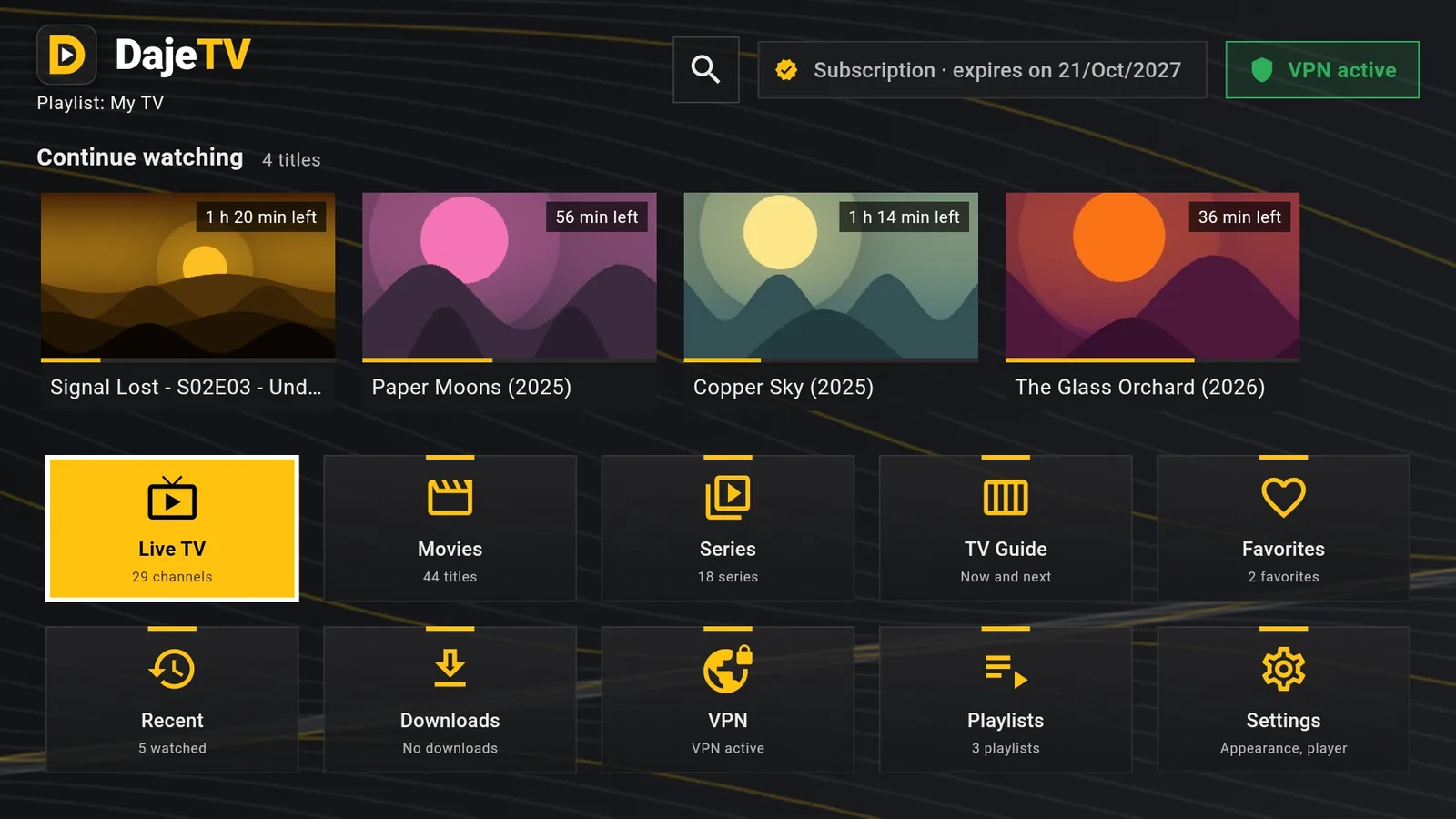
Every screen is built for the couch: big, readable, and always clear about where you are.
Channel numbers, logos and what's on now. Zap with ▲▼, jump back to the previous channel with ◀, pause live TV with timeshift.
A large preview of the selected programme, a clear ‘now’ line and two hours at a glance. Press OK to watch, ☰ to record or set a reminder.
Replay past programmes where your provider allows it, record live or from the archive, and get a countdown before your show starts.
Posters, ratings, seasons and episodes, Continue watching and ‘new episode’ badges for the series you follow.
One search for channels, movies, series and programmes. Filter by genre, year, rating, date added and watched status.
Add your WireGuard or OpenVPN profile once. DajeTV connects by itself, reconnects if the line drops and can block video when the VPN is off.
Even volume tames loud ads and scenes, Clear voices keeps dialogue easy to follow at night, and you can lower everything with one setting.
Favourites, watched and recent follow you from the living room to the bedroom. Plans for 1, 4 or 7 devices.
Save movies and episodes on the device and watch them without a connection, with resume where you left off.
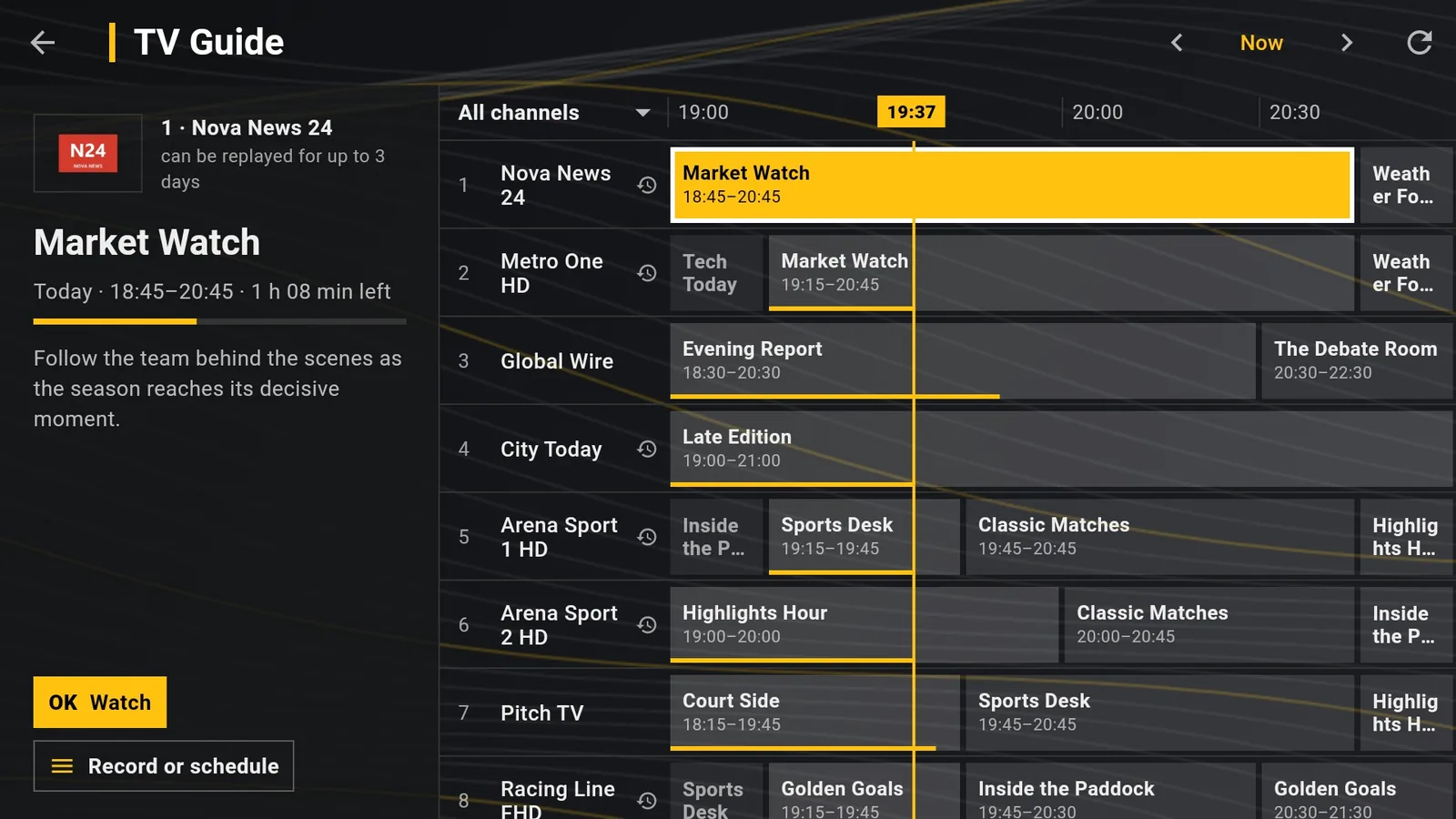
The guide shows two hours at a time with a large preview on the left: title, time left, description and the actions available for that programme. Channels with catch-up show how many days you can go back.
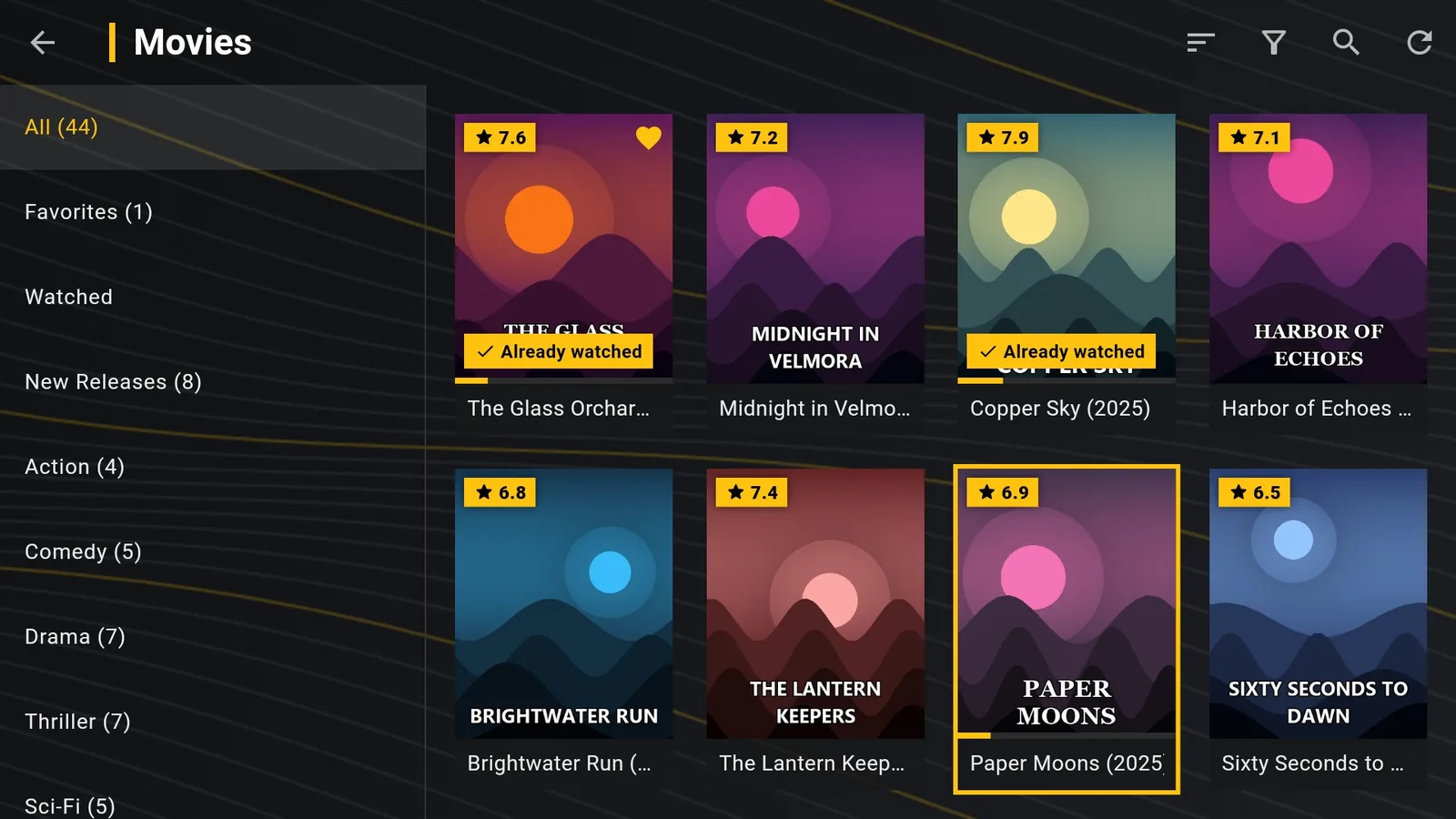
Every movie and episode remembers its position. Posters show ratings, progress and what you have already watched, and the series page always offers the next episode.
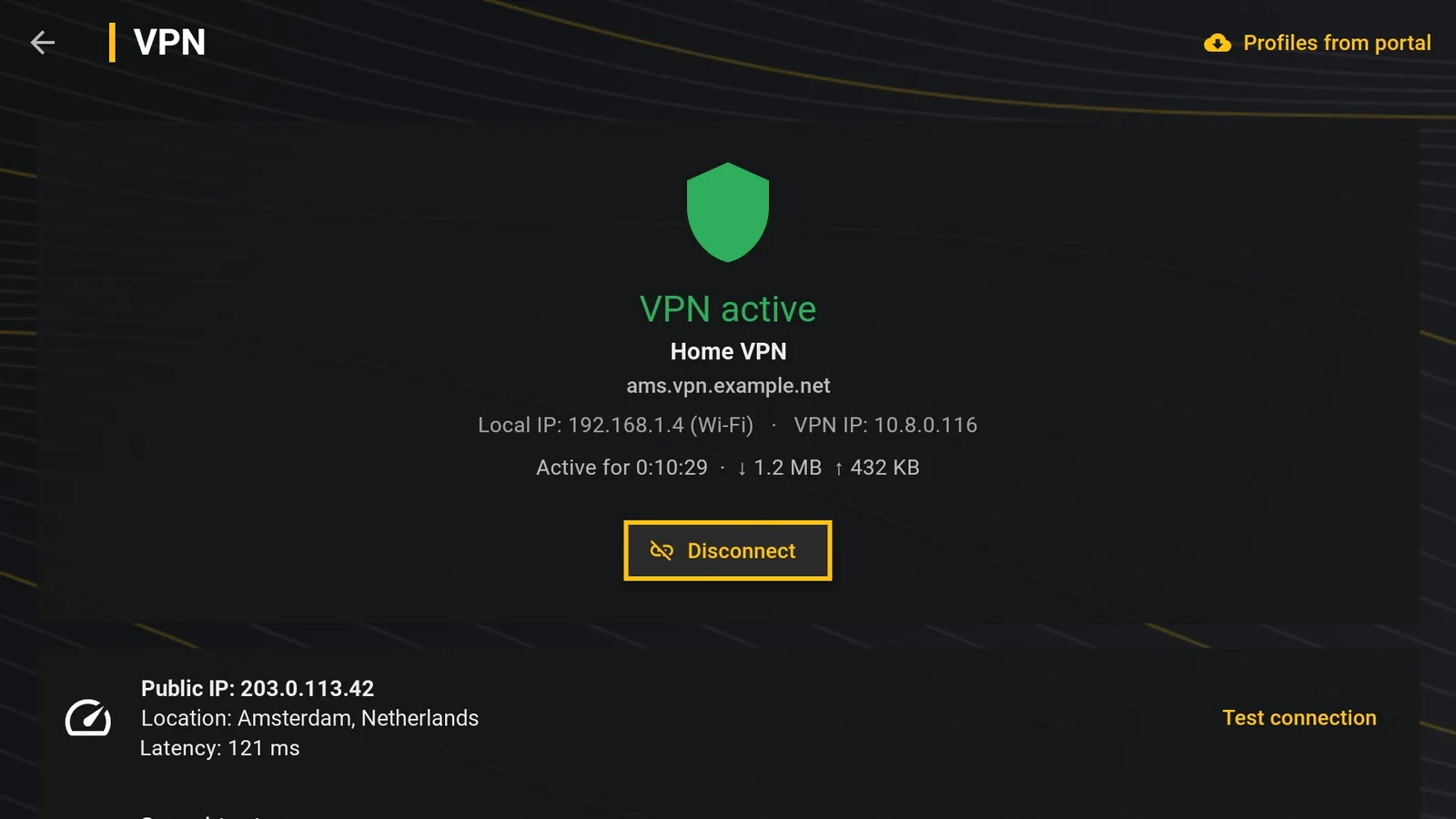
DajeTV has WireGuard and OpenVPN built in: no extra apps to juggle. Choose ‘block everything without VPN’ and no video will ever leave without protection.
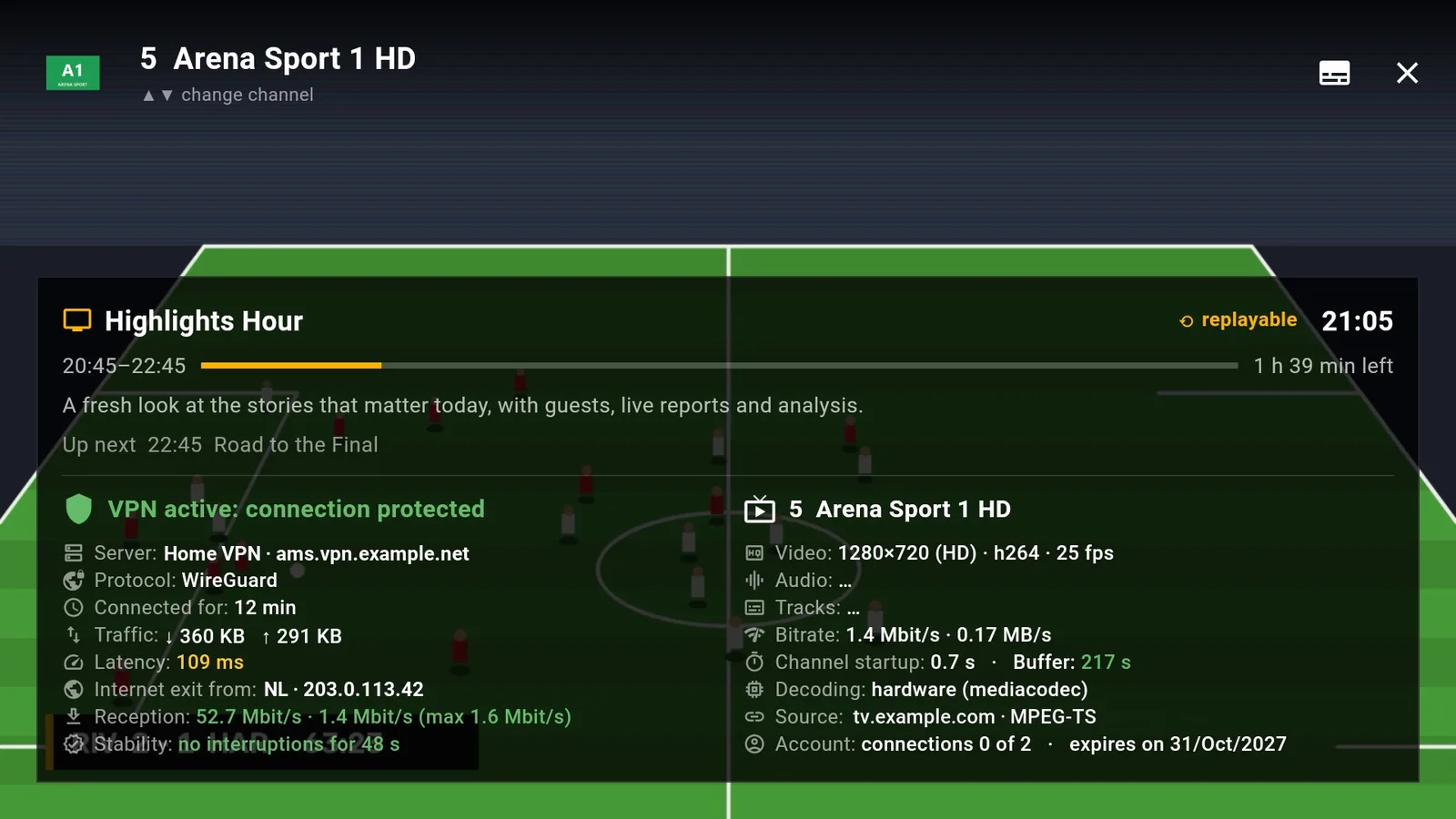
Press OK while watching for an honest look under the hood: VPN status and exit country, reception, buffer, resolution and decoding. When something is wrong, you know where.
Real screenshots of DajeTV on a Fire TV. The channels, movies and series shown are invented for this page.
DajeTV does not sell, include or recommend any channel, movie or playlist. You add the playlists you have the right to use, from your TV provider or any legal source, and DajeTV plays them. Your playlist credentials stay on your device.
Try everything free for 30 days. Then one yearly subscription, VAT included.
For the TV you use most.
Start free trialLiving room, bedroom, kitchen and your phone, all in sync.
Start free trialEvery screen in the house, and a few more.
Start free trialSynced devices share favourites, watched and recent. The free trial starts automatically the first time you open the app: no card needed.
DajeTV is coming to the app stores. In the meantime you can install it directly.
The official installer for Android TV, Google TV and Android phones. Android 7.0 or later.
Download DajeTV.apkYour device may ask you to allow installs from your browser or file manager.
No. DajeTV is a player: it plays the M3U or Xtream Codes playlists you add yourself, for example from your TV provider. It does not provide, sell or recommend any content.
Amazon Fire TV sticks and Fire TV Cube, Android TV and Google TV devices, and Android phones and tablets (Android 7.0 or later). Versions for Apple devices are planned.
No. DajeTV has WireGuard and OpenVPN built in: import your profile file or type it in, and the app connects by itself. You need a VPN service of your choice to use it.
No, it is optional. If you turn on ‘block everything without VPN’, DajeTV will only load playlists and video while the VPN is connected.
Only on your device, in the system's secure storage. Our servers never connect to your playlist provider and never see your streams.
The 30-day trial starts the first time you open the app, with every feature unlocked and no payment details. After that you can choose a yearly plan.
Devices in the same sync group share favourites, watched and recent. With the 4 or 7 device plan, every device you add to the group gets a seat automatically.
Yes. From the TV guide you can record live programmes or, on channels with catch-up, download them from the archive after they end. Recordings appear in Downloads.