
How to record TV programmes on Fire TV with IPTV
With DajeTV you can record a programme straight from the TV guide, or set a reminder that switches to the channel when it starts. Recordings end up in Downloads, on your device.
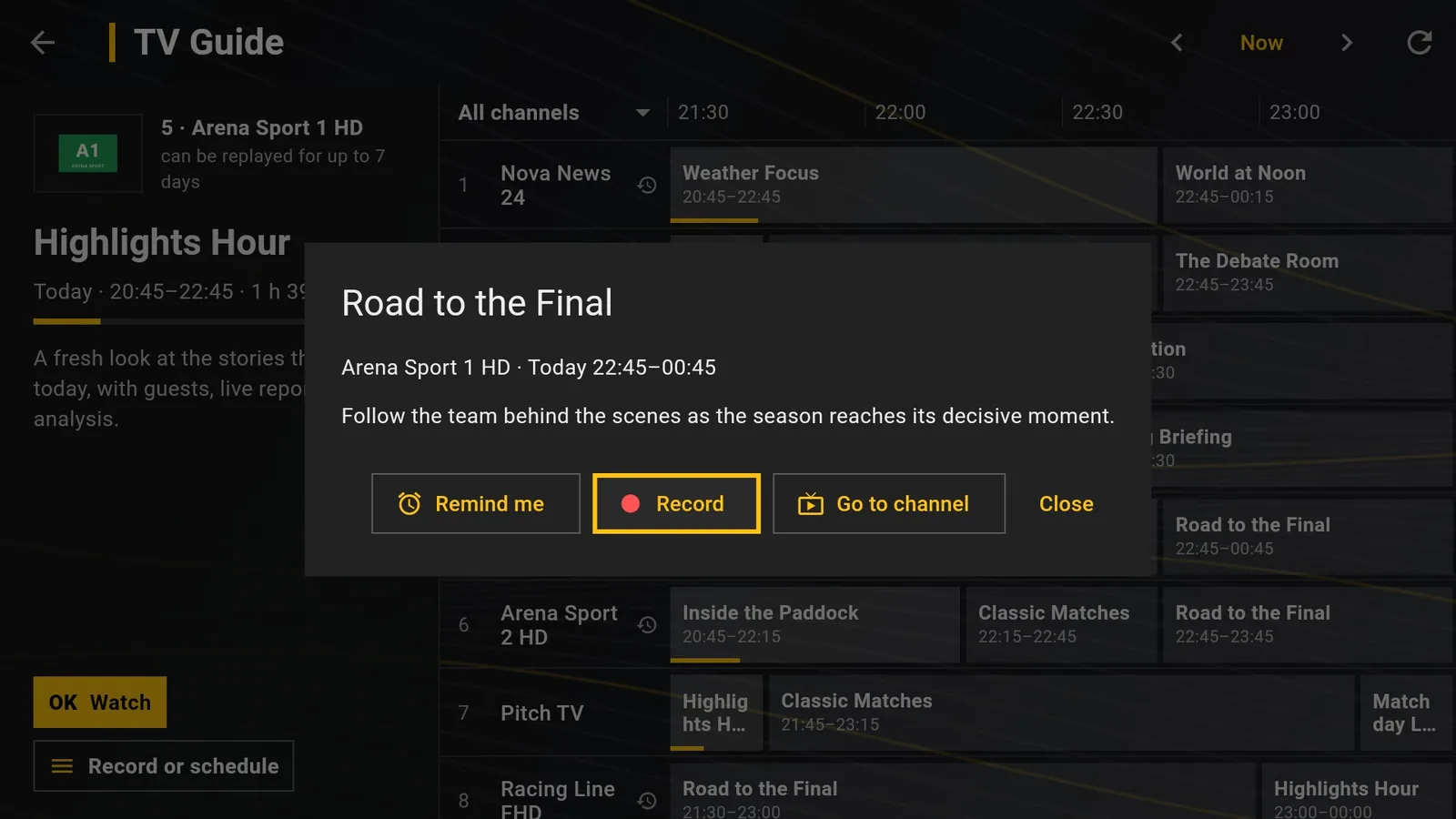
Record from the TV guide
- Open TV Guide and move to the programme.
- On a future programme press OK to open its card; on any programme you can also press ☰ on the remote (Record or schedule).
- Choose Record. A red dot appears on the programme in the guide.
- To watch it later, open Downloads.
Two kinds of recording
On channels with catch-up (archive), shown with a replay symbol in the guide, DajeTV downloads the programme from the archive when it ends. It works even if the app was off at that time, as long as the programme is still in the archive.
On channels without catch-up DajeTV records live, from one minute before to three minutes after the programme. The app must be running at that time: in the background is fine, but if the Fire TV is in standby or the app was closed, the recording does not start.
Tip: Most providers allow one connection at a time: during a live recording, opening another video asks whether to stop the recording.
Reminders
Choose Remind me instead of Record: thirty seconds before the start DajeTV shows a countdown and then switches to the channel. Press Go now to switch right away or Cancel to stay where you are.
Manage scheduled recordings
At the top of Downloads you find Scheduled, with reminders and recordings still to come. From there you can cancel them. A recording in progress can be stopped at any time: what has been recorded so far stays in Downloads.
Before recording
Make sure you have the right to record that content in your country: it is your responsibility. The recording stays on your device and is not shared with anyone.